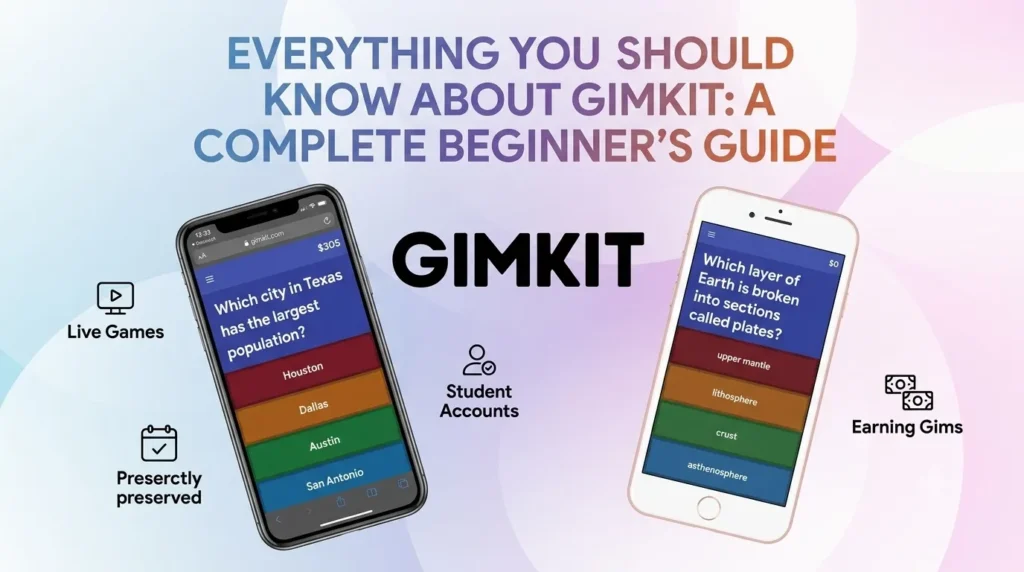
What Is Gimkit?
Gimkit is an interactive learning platform that transforms ordinary quizzes into exciting games. Instead of simply answering questions, players earn virtual money for every correct answer. That money can then be spent on upgrades, power-ups, and other in-game advantages.
This unique system makes studying feel more like playing a video game than completing homework. Because of its engaging design, Gimkit has become a favorite tool among teachers and students around the world.
Who Created Gimkit?
Gimkit was developed by Josh Feinsilber, who started the project while he was still a high school student. He believed classroom quiz games could be more engaging and enjoyable.
His idea quickly gained popularity after its release in October 2017, and today millions of students use Gimkit to learn subjects like math, science, history, geography, and languages.
It is a great example of how a student’s creative idea can become a platform used in classrooms worldwide.
Is Gimkit Free?
Yes, Gimkit offers a free version that anyone can use.
The free plan lets users:
- Create quiz kits
- Join live games
- Practice independently
- Explore many learning features
For users who want additional game modes, advanced reports, and classroom management tools, there is also a paid Gimkit Pro subscription.
Whether you’re a teacher, student, or parent, the free version is enough to get started.
Getting Started with Gimkit
Creating an account only takes a few minutes.
Simply visit the Gimkit website, choose Sign Up, and register using either your email address or a Google account.
Once logged in, you’ll have access to your personal dashboard where you can:
- Create new quiz kits
- Browse existing quizzes
- Host games
- Join live sessions
- Track your learning progress
Everything is organized in a clean and beginner-friendly interface.
How to Play Gimkit
Playing Gimkit is simple.
A teacher or host starts a live game and receives a unique game code.
Players visit the join page, enter the code, choose a nickname, and begin answering questions.
Each correct answer rewards you with virtual cash.
You can spend this money during the game on upgrades such as:
- Higher earning multipliers
- Faster income
- Insurance against wrong answers
- Special bonuses
The better your strategy, the faster your score grows.
Can You Play Alone?
Absolutely.
If you don’t have a classroom session available, you can practice by yourself using Preview Mode or assignment mode. Solo practice is perfect for reviewing lessons before tests.
How to Create Your Own Gimkit Quiz
Building your own quiz is easy.
Follow these steps:
- Log into your account.
- Select New Kit.
- Give your quiz a title.
- Choose the language.
- Add questions and answers.
- Save your kit.
If you already have study materials elsewhere, you can also import questions from supported services, making quiz creation much faster.
Creating your own kit allows you to focus on exactly what you want to learn.
Sharing Your Quiz and Joining Games
Once your quiz is complete, sharing it with others is straightforward.
You can:
- Send a direct link
- Share the game code
- Assign quizzes to classmates
- Host live classroom competitions
Every live game generates a new join code, which players enter before the game begins.
This makes it easy for friends, classmates, or students to participate from anywhere.
Tips to Win More Games
Many people search online for Gimkit hacks or cheats, but the best way to succeed is by improving your strategy rather than trying to exploit the game.
Here are some useful tips:
- Answer quickly without sacrificing accuracy.
- Invest in earning multipliers early.
- Buy upgrades that increase long-term income.
- Avoid rushing through difficult questions.
- Practice your quiz beforehand.
- Learn from incorrect answers instead of guessing.
Strong strategy almost always beats shortcuts.
Gimkit Not Working? Here’s What to Do
Occasionally, you may run into technical issues.
If Gimkit isn’t loading properly, try these solutions:
- Refresh the webpage.
- Check your internet connection.
- Restart your browser.
- Clear your browser cache.
- Try another browser.
- Wait a few minutes if the servers are undergoing maintenance.
Most problems are temporary and are resolved quickly.
How to Unlock the Gimfish
The Gimfish is one of the game’s most sought-after cosmetic rewards.
Players typically earn it during limited-time events or in special game modes like Fishing Overdrive.
Obtaining rare collectibles often requires patience, consistent gameplay, and a bit of luck.
These exclusive rewards make the game even more enjoyable for dedicated players.
Organizing and Deleting Quiz Kits
As your collection grows, you may want to remove quizzes you no longer use.
To delete a kit:
- Open your Library.
- Locate the quiz.
- Click the options menu.
- Select Delete.
- Confirm your choice.
Keeping your library organized makes it easier to find important study materials later.
Frequently Asked Questions
When was Gimkit launched?
Gimkit officially launched in October 2017 after being developed by student Josh Feinsilber.
Is Gimkit free to use?
Yes. The platform offers a free plan with core features, while Gimkit Pro unlocks additional tools and game modes.
Can I play Gimkit by myself?
Yes. Solo practice is available through Preview Mode and assignments, allowing you to study without joining a live classroom game.
Do I need a game code to join?
Yes. Live games require a unique code provided by the host. Without it, you cannot enter that specific session.
Why won’t Gimkit load?
Most loading issues are caused by internet problems, outdated browsers, or temporary server maintenance. Refreshing the page or clearing your cache usually solves the issue.
Who invented Gimkit?
Gimkit was created by Josh Feinsilber, who originally built it while attending high school.
Final Thoughts
Gimkit has made classroom learning far more engaging by blending education with game mechanics. Instead of memorizing facts through traditional methods, students actively participate, earn rewards, and compete in a fun environment.
Whether you’re a student preparing for exams, a teacher looking to increase classroom participation, or a parent searching for educational resources, Gimkit offers an enjoyable way to learn.